
Create Free Account

Contractor Compliance Software for Infrastructure

Every Contractor. Every Corridor. One Compliance Record.

Contractor and workforce compliance for major infrastructure projects, delivery partners, and asset operators. Every licence, permit, and corridor access record checked before a Worker reaches the site, not after.

  • Rail projects and corridors
  • Road and motorway upgrades
  • Water and utilities infrastructure
  • Tunnelling and underground works
  • Alliances and joint ventures
  • Asset operations and maintenance
A protection officer and a track Worker in hi-vis checking a tablet at the edge of a rail corridor possession, a work train idling under floodlights at night Every Worker cleared before they reach the site

ComplyFlow for Infrastructure.

Contractor and workforce compliance software for infrastructure and major projects. One record for every alliance partner, every corridor and high-risk permit, and every Worker, from the first induction to the day an asset owner takes over maintenance.

  • One workforce record across every alliance partner. Not a spreadsheet per partner, and no argument about whose version is current.
  • Never lose a Worker to onboarding delay. The sector is short Workers already; ComplyFlow chases the induction, the licence, and the medical instead of your site team.
  • Corridor access checked, not assumed. Induction, licence, and permit sign-off are one check, before anyone crosses the fence.
  • One record when the asset owner takes over. A Worker’s profile is one across every ComplyFlow Client, so the handover from construction to maintenance is not a fresh start.
Engaged in 2015 on the AU$1.6 billion Toowoomba Second Range Crossing, with Ferrovial Agroman Australia and Acciona Infrastructure
Running Sydney Water’s D4C compliance programme since 2020, on a contract of more than ten years

ComplyFlow on Major Infrastructure Projects.

Government-owned asset operators and tier-one contractors already run contractor compliance on ComplyFlow.

  • National Intermodal

The Numbers

The Numbers Behind Every Infrastructure Project Right Now.

Public figures on the pipeline, the workforce shortage, and where injuries actually happen. What each means for a project team is underneath.

How It Helps

Digitised. Automated. AI‑Reviewed. The Whole Delivery Chain, for Infrastructure Projects.

Three things make ComplyFlow different on an infrastructure project, and every job on it draws on all three.

  • 01

    The Whole Delivery Chain, on One Record.

    From the first partner’s induction to the asset owner’s maintenance contract: one workforce record, not one per partner.

  • 02

    Your Permits & Inductions, Digitised & Automated.

    The permit book, the licence register, and the site folder become one system that chases, checks, and closes out on its own.

  • 03

    AI That Reads the SWMS.

    Method statements for tunnelling, traffic control, and heavy lifts read against your standard in seconds, reasons shown. Your people make the call.

What you do Digitise Automate AI
Onboard a Worker to the project Licence, medical, and induction requirements set once per Worker category; the Worker uploads once, for every alliance partner they work under. Reminders and re-checks go out before a licence or medical lapses. Documents read against your requirement as they arrive, gaps shown.
Check corridor access A corridor access permit and sign-in point set up for the possession, with its own induction and conditions of entry. The gate checks induction, licence, and permit before it lets a scan through. Ask your assistant who is cleared for tonight’s possession, via MCP.
Permit high-risk work Tunnelling, excavation, traffic control, and confined space permits, raised on a phone with the SWMS attached. Routed to the named reviewer for each section; closes with a time-stamped record. The SWMS read against your standard before approval, gaps listed.
Manage traffic control on live roads The worksite traffic management plan and the provider’s accreditation held as company and Worker documents. An expired ticket or accreditation flags at the next scan. Documents checked against the requirement as they are uploaded.
Confirm fitness for work Testing results held as a document against the Worker, not a paper register. A missing or overdue result turns the Worker’s status before the next shift. The result read and matched to the Worker as it is uploaded.
Track Aboriginal & local jobs participation Participation held as your own attribute against the Worker and the contract. The number stays current as Workers and contracts change, ready to export. Ask in plain English what the current figure is, via MCP.
Hand over to the asset owner The Worker’s one profile carries into the operator’s own ComplyFlow account, not a fresh start. Maintenance-phase requirements apply once the handover happens. AI flags any Worker whose licence or induction will not carry over cleanly.
Report to government and the board One searchable record per project, not a folder per alliance partner. Live compliance rates and scheduled reports into Power BI. Ask in plain English through ChatGPT, Claude, or Copilot; the answer comes from the record.

RIW, Aconex, and Procore stay the record of truth for rail competency and project documents; ComplyFlow holds the licences and permits that decide who is cleared to act, checked alongside them.

Who It Is For

What ComplyFlow Means for Me, on an Infrastructure Project.

Find your job. The three lines below are what changes for you.

  • Alliance & Project Director

    • One workforce record across every alliance partner
    • Live compliance status by partner, permit, and site
    • One export for the department or the board
  • HSE & Safety Director

    • Every Worker cleared against your high-risk categories
    • The SWMS read against your standard before approval
    • One export for the regulator, by site
  • Workforce & Industrial Relations Manager

    • Licences, medicals, and inductions checked against the record
    • Fitness-for-work testing held as a Worker document
    • Aboriginal and local jobs participation, ready to export
  • Procurement & Supply Chain Manager

    • Contractor and subcontractor onboarding on one panel
    • Insurances and licences uploaded and kept current
    • Supplier standing by ABN, through the API
  • Asset Operations & Maintenance Manager

    • The Worker’s profile carries over at handover
    • Ongoing access permits for maintenance contractors, not restarted
    • One record from construction through to operation
  • Protection Officer & Rail Safety Worker

    • The corridor access permit routed to you directly
    • Sign-off recorded with a time and your name
    • The crew signs in once you approve it
  • Traffic Control Provider

    • Your accreditation and your controllers’ tickets, one record
    • A lapsed ticket flags at the next scan
    • The traffic management plan attached to your permit
  • Document Controller

    • Every permit, induction, and licence searchable by project
    • A permit or form exported with its trail
    • One record instead of chasing every spreadsheet

Built for the Delivery Chain

The Jobs an Infrastructure Project Does Every Week.

Four jobs a project team does every week across every alliance partner, and what changes when they all run off one record.

One Workforce Record Across Every Alliance Partner.

Set your requirements once: licences, medicals, inductions, high-risk permits. Every Worker on every partner’s panel is measured against the same list, and the dashboard shows who is short before they are rostered.

  • Project-wide requirement sets, per Worker category
  • Per-partner extras where a task needs them
  • Workers upload once, for every alliance partner on the project

Corridor Access Checked Before Anyone Crosses the Fence.

A QR code or tablet at the access point. The Worker scans in, the record checks their induction, licence, and permit, and the site team sees who is inside the corridor right now. Not cleared, not in.

  • Works at unmanned access points and out-of-hours possessions
  • Induction and permit checked at the same scan
  • A live list of who is inside the corridor right now
A track Worker in hi-vis scanning a QR sign-in board at a rail corridor access gate, red and white possession barriers marking the boundary behind him

Permits for the Work That Hurts People.

Tunnelling, confined space, traffic control on a live road, corridor access. The permit is raised on a phone, the SWMS behind it is read against your standard, your authoriser approves it, and it closes with a record of who signed what and when.

ComplyFlow was engaged in 2015 on the Toowoomba Second Range Crossing, with Ferrovial Agroman Australia and Acciona Infrastructure, managing compliance, contractor safety, and plant across the build.

Traffic Control, Checked at the Same Gate as Everyone Else.

A traffic control provider’s accreditation and its controllers’ tickets held on the same record as everyone else on the project. A lapsed ticket or accreditation is flagged at the next scan, not discovered after the shift has started.

  • The worksite traffic management plan attached to the permit
  • A lapsed ticket blocks the controller at the gate
  • The provider and the individual checked together
A traffic controller in high-visibility gear scanning in at a worksite gate beside a portable stop-slow sign on a live road, utes queued behind temporary barriers

The Numbers You Run On

The KPIs an Infrastructure Project Reports, and Where Each One Comes From.

What a project director, an HSE manager, or a department asks for

Reads from names the ComplyFlow record each measure is read from. The targets are yours.

  1. Workforce current status

    The share of the workforce with an in-date induction, licence, and medical today

    Reads fromThe workforce record, live, by partner and project

  2. Permit close-out time

    How long high-risk work stays open after it should close

    Reads fromPermit raised, approved, and closed, timestamped

  3. Corridor access refusals

    How often a Worker was turned back at the corridor fence, and why

    Reads fromEvery refusal at the gate, with reason

  4. Workforce participation tracking

    Whether the Aboriginal participation and local jobs figures are current

    Reads fromAn attribute against the Worker and contract

  5. SWMS currency

    Whether the method statement behind every active permit is still the current, approved version

    Reads fromSWMS version and approval date, at sign-off

  6. Fitness-for-work status

    Whether every Worker rostered today has a current fitness-for-work result on record

    Reads fromA document against the Worker, checked at scan

Fits Your Delivery Stack

Slots Into the Systems Your Infrastructure Project Already Runs.

Read it left to right: where people and work turn up, the one record that checks them, and where the proof goes.

Where people and work arrive

QR kiosks & tablets at site and corridor access pointsWorkers and visitors scan in on their own phone or a site tablet built in
RIW & rail credentialingThe Rail Industry Worker card and platforms such as Pegasus, the record most rail Workers already carry
Document control platformsAconex and Procore, where alliance partners hold their project paperwork
Access control at the corridor & site boundaryTurnstiles, boom gates, and key cabinets at possession and site limits
Microsoft & Okta sign-onYour people log in the way they already do SSO
PrequalificationWorkforce ComplianceTraining & InductionSite AccessVisitor Sign-InSite DocumentsDigital PermitsInspections & AuditsPlant & EquipmentIncident ManagementRisk Management ComplyFlow. One Record.

Where the proof goes

Power BI dashboardsCompliance by alliance partner, by permit, and by site
Workforce participation reportingAboriginal participation and local jobs data held as your own attribute, exported to CSV or through the API
Handover & owner reportingThe audit export: every check, permit, and sign-in, with a name and a time
AI assistants via MCPAsk ChatGPT, Claude, or Copilot who is cleared for tonight’s possession MCP
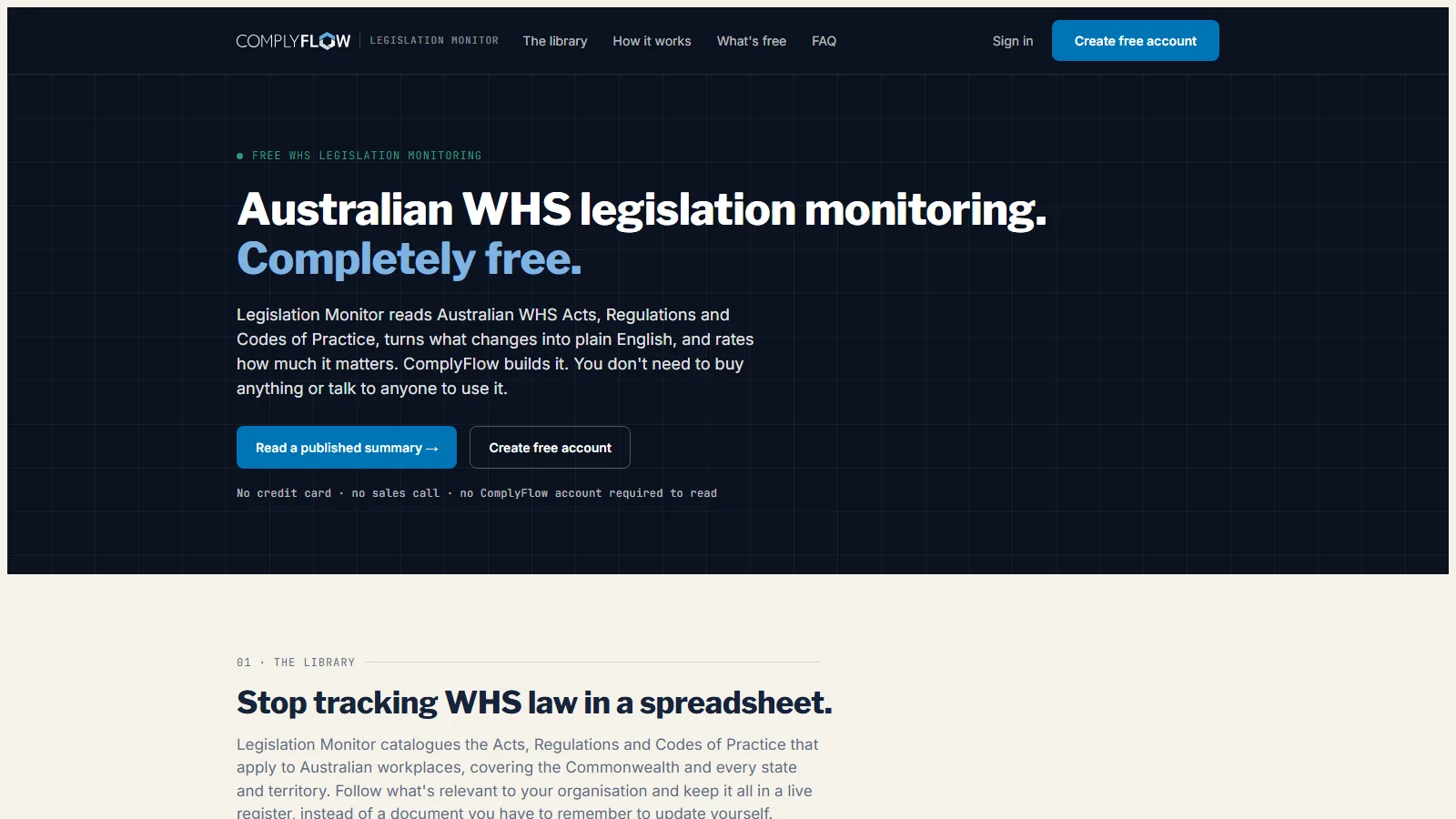
Legislation MonitorWhen a WHS Act, Regulation, or Code of Practice changes, you hear about it first

Sign-on, kiosks, and the Legislation Monitor are ComplyFlow’s own. RIW and your document control platform stay the record of truth for competency and paperwork; anything with an API can connect through ComplyFlow’s open API and MCP.

Free From ComplyFlow. No Account Needed.

Know When the Rules Change, Before Your Auditor Does.

Free for anyone. It reads every Australian WHS Act, Regulation, and Code of Practice, turns each change into plain English, and rates how much it matters.

Sign Up Free No credit card. No sales call.

monitor.complyflow.com
The Legislation Monitor home page: Australian WHS legislation monitoring, completely free
  • 390 instruments across all nine Australian jurisdictions
  • A plain-English summary and a severity rating for every change
  • AI reads the change, a person checks it, a Tuesday digest tells you

Why Infrastructure Teams Use It

What an Infrastructure Project Gets, in Plain Words.

Less chasing, fewer surprises at the corridor fence, and proof you can put in front of the department, the alliance board, or the auditor the day they ask.

An HSE manager and a protection officer checking a tablet at the edge of a rail corridor possession, a track Worker in the background under floodlights
A rail corridor at dusk with a possession underway, red and white barriers marking the protected work area and a maintenance vehicle parked on the track

Why ComplyFlow

Why Infrastructure Projects Choose ComplyFlow, Not Another Point System.

Most infrastructure projects run a rail credentialing platform, a document control system, and a spreadsheet for everything else. Each does one job. The gaps between them are where compliance fails.

Rail credentialing platformsHold Worker competency; the contractor pays to be listedDocument control platformsHold the project paperwork; one job, done wellSpreadsheets & shared drivesFree, and relies on every alliance partner keeping their own current ComplyFlowOne record, your standard
One record from the company to the Worker to the site PartlyNot thereNot there Company, Worker, project, and permit on the same record
Corridor and high-risk permits gated on a named reviewer’s sign-off Not thereNot thereNot there Protection officer, safety, or authoriser, each their own section, before the permit is active
The SWMS behind the permit read against your criteria before approval Not thereNot thereNot there AI agent reads it; a person still approves
Multiple alliance partners see their own view of the same workforce PartlyPartlyNot there Each partner’s own panel; the record underneath is one
The Worker’s profile carries over when the asset owner takes over maintenance Not thereNot thereNot there One profile, every ComplyFlow Client, not a fresh start
The crew signs in to the permit, not just the site Not thereNot thereNot there The live list shows who is working under which permit
Aboriginal and local jobs participation held against the Worker, not a spreadsheet Not thereNot therePartly Your own attribute, exported to CSV or through the API
AI that reads a document against your requirements Not thereNot thereNot there Certificates, SWMS, and inspections, with the reasons shown

This compares kinds of product, by how they are sold, not named vendors. Named comparisons, with dates and sources, live on the comparison pages.

Getting Started

We Set Up Your Project. We Stay With You.

You are not handed a login and left to it. Our onboarding team builds your project with you, brings every alliance partner’s contractor panel across, and stays on hand once the first site is live.

  • Mitch Bourne, ComplyFlow
  • Jessica Morgan, ComplyFlow
  • Sam Bourne, ComplyFlow
  • Phil Wallach, ComplyFlow
  • John McCann, ComplyFlow
  1. 1 We Map Your Sites & Requirements

    Every site, every corridor access point, and what you need from a Worker before they can start: licences, medicals, inductions, high-risk permits.

  2. 2 We Load Every Alliance Partner’s Panel

    We invite each partner’s contractors and subcontractors, help them register and upload their documents, and answer their questions so your site team does not have to.

  3. 3 We Put Sign-In at Every Access Point

    QR codes and tablets at the site gate and the corridor access point, tested before anyone relies on them.

  4. 4 You Go Live, We Stay Close

    Training for your team, written guides for every alliance partner, and a support team that picks up the phone.

  • ISO 27001 certified ISO 27001Certified 2019
  • AWS Qualified Software Certified 2023
  • GDPR, General Data Protection Regulation Compliant 2020
  • Microsoft Okta Single sign-on

Security & Data

Certified, Audited & Hosted in Australia.

Your compliance record is the evidence you rely on when somebody asks, so where it lives and who can reach it matters. ComplyFlow is ISO 27001 certified, runs on AWS in Australia, and your people sign in with the accounts they already have.

Questions

Questions Infrastructure Teams Ask Before They Book a Demo.

Does this replace RIW, or ask rail Workers to carry a second record?

No. RIW stays the record of truth for rail Worker competency. ComplyFlow holds the licences, medicals, inductions, and permits that sit around it, and checks them together with the Worker at the same corridor access point.

Can a rail corridor permit be gated on a protection officer’s sign-off, not just a generic induction?

Yes. A permit type can carry its own sections, each with a named reviewer. The protection officer’s sign-off can be one section of the corridor access permit, alongside the induction, so the permit is not active until both clear.

Can several alliance partners each see their own view of the same workforce?

Yes. Each alliance partner sees its own contractor panel and its own requirements, while the Worker underneath is one profile. A Worker cleared by one partner is not asked to register again for the next.

Can it hold our Aboriginal participation and local jobs numbers, so we are not reformatting a spreadsheet for the department?

It can hold that data as your own attribute against the Worker and the contract, current rather than stale, and export it to CSV or through the API. There is no purpose-built government participation report; you build the export your department wants from data that is already structured.

Does it handle a road authority’s traffic control accreditation as well as a rail licence?

Yes. A Worker or a company category can carry any licence, ticket, or accreditation you set, whether it is a high-risk work licence, a traffic control ticket, or a provider’s accreditation. The record checks whichever ones you require.

What happens to the workforce record when the alliance disbands and the asset owner takes over maintenance?

A Worker’s profile is one record across every ComplyFlow Client, not five separate ones. If the asset owner is also a ComplyFlow Client, the same profile carries over into the maintenance phase rather than starting again.

Is our data held in Australia, or in New Zealand for an NZ project?

ComplyFlow hosts Australian data on AWS in Australia and holds ISO 27001 certification. If your project is in New Zealand and needs data held there specifically, raise it with us before the demo so we can confirm.

See It Against Your Own Sites and Corridors.

Book a 30-minute demo. We will show you ComplyFlow working with your kind of project, your alliance partners, and your permits. No slides, no hard sell.

  • ISO 27001
  • Hosted on AWS
  • Microsoft & Okta SSO
  • API & MCP
  • Data in Australia

One record from the fence to the handover, instantly.