Create Free Account

Inspection & Audit Software

Every Failed Item Becomes an Action. Every Action Gets Closed.

Your checklist on a phone, with photos, offline if the site has no signal. A cross raises an action with an owner and a date. The PDF report sends itself when the phone syncs.

  • Safety & HSE
  • Facilities
  • Site Supervisors
  • Quality
  • Plant & Fleet
Offline on a phone, synced when it gets signal

What Inspection & Audit Software Does.

Inspection and audit software puts your checklists on a phone and turns findings into work. ComplyFlow runs offline, raises an owned action per failed item, and sends the PDF on sync.

  • The checklist is yours, built once. Categories and items in a template, with instructions where an item needs them. Upload the whole thing from a CSV if you already have it in a spreadsheet.
  • It runs on a phone, offline. Tick, cross, or N/A per item, a photo and a note where it matters, attendees signing on the screen. Complete & Sync when the phone finds signal.
  • A cross is an action, not a note. Findings, a recommendation, a due date, and a responsible person, raised on the spot. Pending actions are emailed as soon as the inspection syncs.
  • The schedule chases itself. Set a template to repeat monthly for a site or a staff category. Whoever holds the role gets the reminder; overdue shows on the dashboard.
A facilities coordinator crouched by a fire panel in a plant room, photographing a failed item on her phone with the checklist open

What It Covers

The Whole Module, Not the Highlights.

Everything below is in the product today and documented in the Help Centre, not on a roadmap.

Templates & Schedule

In the Field

Actions & Report

Every item links to the Help Centre article that documents it.

How It Works

Four Screens That Carry the Module.

Real screens, not diagrams: the checklist in the field, the template behind it, the actions it raises, and the report it sends.

The Checklist, in the Field.

Categories with their completion, three taps per item, a photo where it matters. A cross opens the finding, the recommendation, the priority, the due date, and the person responsible. Attendees sign on the screen. Complete & Sync when the phone finds signal.

  • Offline on iOS and Android
  • Tick, cross, or N/A per item
  • Photos, findings, and signatures

The Template, and Its Schedule.

Categories and items with instructions, built in the browser or uploaded from a CSV. Set it to repeat for a site or a staff category, and whoever holds the role gets the reminder. Overdue shows on the dashboard, not in somebody’s memory.

  • Categories, items, instructions
  • CSV upload to build or change
  • Repeat by site or by staff category

Every Failed Item, Owned and Dated.

One list of every action from every inspection: what was found, where, who owns it, when it is due, and whether it is overdue. Close it out with a comment and a file, or transfer a leaver’s actions in bulk. Export the lot to CSV.

  • Only my actions, or everyone’s
  • Close with evidence, from web or app
  • Transfer in bulk when people move

The Report That Sends Itself.

When the inspection syncs, the PDF goes out: the details, the results by category, the photos, and the attendees’ signatures. Export it again whenever anyone asks. The failed items are already actions with owners.

  • PDF emailed on Complete & Sync
  • Photos and signatures included
  • Export PDF from the web any time

Who It Is For

What Inspections & Audits Means for Me.

Find your job. The three lines under it are what changes on your desk, not ours.

ComplyFlow Is Already Trusted.

Inspections at property, transport, resources, manufacturing, government sites, and more already run on ComplyFlow.

  • CBRE
  • Toll
  • BlueScope
  • Harvey Norman
  • National Intermodal
  • Retire Australia

Book a Demo

Bring Your Checklist. We Will Run It on a Phone in Front of You.

A 30-minute call with someone who has set this up for portfolios, depots, and plants: your templates, your schedule, your action owners, in the product.

  • One of your checklists loaded live as a template
  • The inspection run on a phone, one item failed on purpose
  • The action and the PDF report appearing when the phone syncs
Talk to Us Instead

No slides, no hard sell. A working session on your own set-up.

Book Your Demo

Thirty minutes, on your own requirements.

Book Demo

The form loads from HubSpot. If it does not appear, the button takes you to the demo request page.

How It Helps

Every Job in the Module: Digitised, Automated, Read by AI.

Three things make ComplyFlow different, and every job in inspections draws on all three.

  • 01

    The Whole Lifecycle, on One Record.

    The site you inspect is the site people sign in to; the contractor who signs the attendee list is the one you prequalified; the action lands on the same record as the incident it prevents.

  • 02

    Your Procedures, Digitised & Automated.

    Your checklist, your schedule, your owners. Reminders, overdue, the action from every cross, and the PDF on sync happen without a coordinator.

  • 03

    AI That Answers the Question.

    Which sites failed the same item three months running, which actions are overdue and whose: asked in plain English through MCP and answered from the record.

What you do Digitise Automate AI
Build the checklist A template with categories, items, and instructions, or a CSV. Filed under a program; available in the app at once. Ask your assistant which items fail most often across the portfolio.
Schedule it Repeat for a site or a staff category, with start and end. Whoever holds the role is reminded; overdue on the dashboard. Ask which scheduled inspections are overdue this week.
Do it On a phone, offline, with photos and signatures. Every cross becomes an action; pending actions emailed on sync. Ask what was found at a site in the last quarter.
Close the actions A comment, a file, a date, complete or partial. Owners chased; leavers’ actions transferred in bulk. Ask whose actions are overdue and by how long.
Prove it The PDF with results, photos, and signatures. Emailed on sync; inspections and actions through the API. Ask in plain English through ChatGPT, Claude, or Copilot.
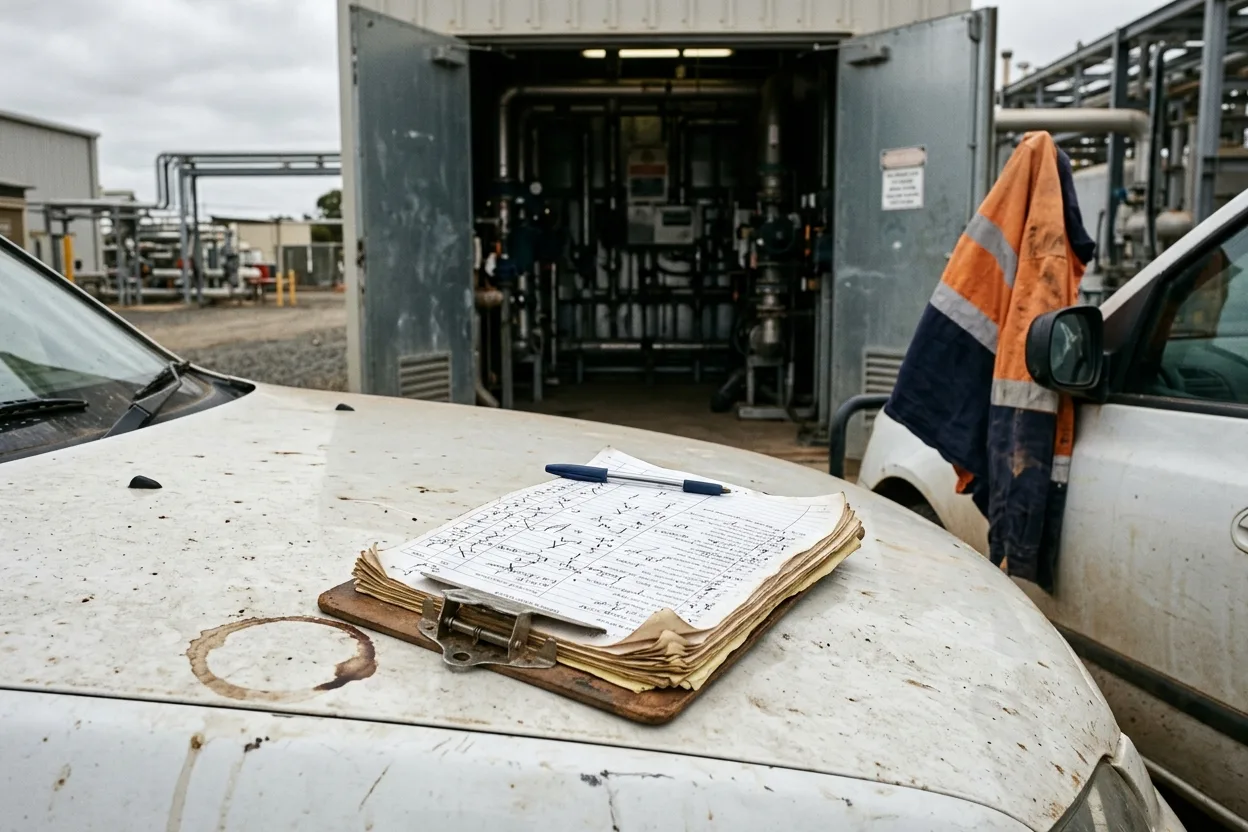
A clipboard with a completed paper inspection checklist and a pen on the bonnet of a ute, a stack of older sheets clipped underneath, a plant room door open behind

How It Stacks Up

Where Inspections Usually Live, and What Each Misses.

Most sites inspect with a clipboard, a stand-alone checklist app, or the audit module of a safety suite. Each covers part of it.

The clipboardFast in the field; the actions live in the marginA checklist appExcellent checklists; knows nothing about your contractors or your gatesA safety suite’s audit moduleThorough, and heavy for a supervisor with a phone in one hand ComplyFlowOne record, your standard
Offline on a phone, synced when signal returns Built inBuilt inPartly iOS and Android, Complete & Sync
Every failed item becomes an owned, dated action Not therePartlyBuilt in Findings, recommendation, owner, due date, on the spot
Scheduled to a role, not a person Not therePartlyPartly Repeat by site or staff category; overdue on the dashboard
Attendees sign on the screen, PDF sent on sync PartlyBuilt inPartly Signatures, photos, and results in the PDF
The contractor signing the attendee list is the one you prequalified Not thereNot therePartly One record from prequalification to the inspection
Inspections and actions in your other systems Not therePartlyPartly REST API and MCP: inspections, actions, schedules

This compares kinds of product, by how they are sold, not named vendors. Named comparisons, with dates and sources, live on the comparison pages.

Getting Started

We Set It Up With You. We Stay With You.

You are not handed a login and left to it. Our onboarding team loads your checklists, builds your schedule with you, and stays on hand once the first inspection syncs.

  • Mitch Bourne, ComplyFlow
  • Jessica Morgan, ComplyFlow
  • Sam Bourne, ComplyFlow
  • Phil Wallach, ComplyFlow
  • John McCann, ComplyFlow
  1. 1 We Load Your Checklists

    Your existing forms and spreadsheets become templates, by CSV where they already exist, under the programs that make sense to your team.

  2. 2 We Set the Schedule

    Which template repeats where and how often, assigned to the staff categories that hold the job today and tomorrow.

  3. 3 We Put the App on Phones

    iOS and Android installed for your inspectors, the first inspection done offline and synced, the PDF received.

  4. 4 You Go Live, We Stay Close

    Training for your team, a Help Centre for everyone, and a support team that picks up the phone.

  • ISO 27001 certified ISO 27001Certified 2019
  • AWS Qualified Software Certified 2023
  • GDPR, General Data Protection Regulation Compliant 2020
  • Microsoft Okta Single sign-on

Security & Data

Certified, Audited & Hosted in Australia.

Your compliance record is the evidence you rely on when somebody asks, so where it lives and who can reach it matters. ComplyFlow is ISO 27001 certified, runs on AWS in Australia, and your people sign in with the accounts they already have.

Questions

Questions People Ask About Inspections Before a Demo.

Does it work without signal?

Yes. The ComplyFlow Inspection App on iOS and Android carries your programs and templates and runs the inspection offline. When the phone finds signal you Complete & Sync; the inspection disappears from the device once it has synced, the pending actions are emailed, and the PDF report is sent.

Can we use the checklists we already have?

Yes. A template is categories and checklist items with optional instructions, and you can upload the whole thing from a CSV with Category, Question, and Instruction columns. Number the questions to control the order.

What happens to a failed item?

A cross creates an action. On the spot you record the finding and a recommendation, set a priority and a due date, and name the responsible person; you can attach a photo. When the inspection syncs, the pending actions are emailed. The action is closed out with a comment, a file, and the date, marked complete or partial.

How do recurring inspections work?

In a template’s advanced settings you set the repeat frequency, a start and optional end date, the site or all sites, and the assignees: users, staff categories, or both. Assigning to a staff category means anyone in the role can complete it and the schedule survives staff changes. Overdue shows on the dashboard, with a notification seven days after the due date and a weekly email.

What is in the PDF report?

The inspection details, the results, the photos, and the attendees’ signatures. It is emailed automatically when the inspection syncs from the app and can be exported again from the web with Actions > Export PDF. Very large photo sets can exceed the email size, in which case the export still works.

Can our reporting tools read inspection data?

Yes. The REST API returns inspections, inspection actions, and scheduled inspections and accepts new inspections, and the same data is available through MCP to ChatGPT, Claude, and Copilot.

See It With Your Own Checklist.

Book a 30-minute demo. We will load one of your checklists live, run it on a phone, fail an item, and watch the action and the PDF appear. No slides, no hard sell.

  • ISO 27001
  • Hosted on AWS
  • Microsoft & Okta SSO
  • API & MCP
  • Data in Australia

Compliance you can prove, instantly.