Create Free Account

Contractor Management Software for Operations Managers

A Crew Is at the Gate. Can They Start Now?

Every work order checks the crew before it releases the job. Somebody asks if they can start, and the gate has already answered.

  • Operations Manager
  • General Manager Operations
  • Head of Operations
  • Plant Manager
  • Production Manager
  • Site Operations Manager
  • Shutdown & Turnaround Manager
An operations manager mid-shift on a production floor, tablet in hand showing which crews are cleared to start, a shift changeover moving behind him The gate already knows. You do not have to ask.

ComplyFlow for Operations Managers.

Contractor compliance software for the person who runs the gate work orders pass through. Every crew is checked against your requirements the moment a job is raised, so a work order is never held for a reason nobody can see, and never released past one that should have stopped it.

  • A work order does not wait on a phone call. ComplyFlow checks the crew against the gate the moment the job is raised, and holds it there if a check is not clear.
  • You see who is cleared to start, right now. The same live list is your roll call for a shutdown as much as for a Tuesday shift.
  • An unplanned job does not wait until tomorrow. A new contractor registers, AI reads their documents back in minutes, and the crew is at the gate that afternoon.
  • The system that holds the work order is the one you already run. ComplyFlow reads the crew’s compliance and lets your CMMS or ERP release the job, or hold it.
ISO 27001 certified, hosted on AWS in Australia.
Microsoft and Okta single sign-on, so there are no new passwords for your team.
The first contractor compliance platform we can find with its own MCP server.

Three Facts About ComplyFlow, Not a Client List.

No operations Client logo is cleared for this page yet. These three are checkable today.

Your Week

The Six Moments That Land on an Operations Manager’s Desk.

Every one of these is a work order waiting on a check. Each shown twice: now, and on one record.

  1. Monday, shift start

    A crew is rostered to swap out a line component before the shift starts.

    Today

    The coordinator rings around to confirm tickets and inductions, and the job starts late.

    With ComplyFlow

    The crew scans in, the gate already has the answer, and the job starts on schedule.

  2. Mid-morning

    A work order lands for unplanned breakdown maintenance, needed the same day.

    Today

    The nearest available contractor is not on today’s approved list, so paperwork goes by email overnight and the job waits until tomorrow.

    With ComplyFlow

    They register, upload their documents, AI reads them back in minutes, and the crew is at the gate that afternoon.

  3. A weekend shutdown

    Dozens of crews across three shifts, and permits stacking up.

    Today

    A coordinator walks the muster sheets to find out who is actually on site right now.

    With ComplyFlow

    A live headcount by site and shift, and the work order stays held open until the permit against it closes.

  4. Mid-shift

    An induction or a licence runs out while the person is still rostered on.

    Today

    Nobody notices until someone happens to ask.

    With ComplyFlow

    The next scan stops the swap-in, and the replacement crew is already cleared before they arrive.

  5. Thursday reporting

    The GM wants the week’s production numbers, and whether a compliance gap held a job up, in the same meeting.

    Today

    Four spreadsheets and a day’s delay.

    With ComplyFlow

    Already on the dashboard, work orders and compliance on the same feed.

  6. Any day, no warning

    Someone asks how a work order was authorised on a specific date, months on.

    Today

    A search through email for the permit chain.

    With ComplyFlow

    Pulled by work order number. The chain is there.

The durations here describe the job as we have seen it done, not a measured saving in your business. What actually changes is whether the answer exists before the work order is held.

What You Use Every Week

The Four Screens an Operations Manager Opens Most.

Not a feature list. The four screens that decide whether a job starts today or waits.

Your Requirements, Applied to Every Work Order.

Set what a crew needs once: insurance, licences, high-risk tickets, your induction. Every work order that reaches ComplyFlow is checked against the same list, whichever system it was raised in, and the dashboard shows who is short before the crew is rostered.

  • One requirement set across every site and shift
  • Site-specific extras where a shutdown needs more
  • Who is short, and how short, before the roster is set

The Gate Decides Before the Job Is Released.

A work order lands from your maintenance system or your ERP, and ComplyFlow reads the crew’s compliance against it before your system releases the job. Cleared work orders run. The rest hold, with the reason shown, not just a status nobody explains.

  • Work orders read from your CMMS or ERP through the API
  • A live list of what is held, and why
  • Cleared or not cleared, never a guess

AI Reads a New Contractor Back in Minutes.

An unplanned job does not wait on a week of paperwork. A new contractor registers, uploads their insurance, licences, and tickets, and AI reads every document against your requirements while they are still in the form. You see what is missing, not a stack of certificates.

  • Documents read against your requirements as they upload
  • The gaps listed, not buried in a certificate
  • A person still approves; the AI never does

A Live Headcount, by Site and by Shift.

A shutdown running three shifts and forty crews is not a stack of muster sheets. The live list shows who is on site, at which gate, and under which work order, and it is also your roll call if a site has to be cleared.

  • A live list across every site and every shift
  • Filterable by contractor, work order, or gate
  • The same list is the roll call in an evacuation
An operations manager checking a live list of cleared crews on a tablet during a shutdown, workers in high-visibility clothing moving past a shift-change board behind him

How It Helps

Digitised. Automated. AI-Reviewed. What Stops Work, and What Does Not.

Three things make ComplyFlow different, and every one of them decides whether a work order runs today or holds.

  • 01

    The Whole Job, on One Record.

    First contractor check to work order release: crew, site, permit, and job on one record. Nothing falls between systems for you to find later.

  • 02

    Your Procedures, Digitised & Automated.

    The phone call to confirm a ticket, the emailed method statement, and the muster sheet become one system that checks, holds, and clears without you.

  • 03

    AI That Does the Reading.

    Certificates, licences, and method statements read against your standard in seconds, with the reasons shown. You still make the call on what starts.

What you do Digitise Automate AI
Approve a new contractor They register once and upload their own insurances, licences, and tickets. Approval routes to you; expiry reminders and re-approvals go out on their own. Each document read against your requirements, with the gaps listed before it reaches you.
Roster a crew for a shift The roster checks against the gate before the shift is confirmed. An expired ticket or induction blocks the swap-in until it is renewed. Tickets and licences read and checked as they are uploaded.
Raise a work order The work order carries the crew and the site it was raised for. It cannot be released while the crew’s compliance is not clear. The crew’s documents checked the moment the work order lands.
Authorise a high-risk permit Hot works, confined space, and isolation permits raised on a phone. Routed to your authoriser and closed with a time-stamped record. The method statement behind the permit checked before you approve it.
Decide who works today A QR code or a tablet replaces the phone call to the gate. Not cleared, not in. The live list updates itself. Ask your AI assistant who is cleared to start, through MCP.
Run a shutdown or turnaround Every crew, permit, and work order for the outage on one record. A live headcount by site and shift, held open until each permit closes. Ask in plain English how many crews are still held at the gate.
Report to the GM One searchable record instead of four spreadsheets. Live schedule adherence and stoppage hours straight into Power BI. Ask in plain English what held a work order up, and for how long, through ChatGPT, Claude, or Copilot.

The Numbers You Run On

The KPIs an Operations Manager Reports, and Where Each One Comes From.

What the GM, the shutdown planner, or your own work order system asks you for.

Reads from names the ComplyFlow record each measure is read from. The targets are yours.

  1. Schedule adherence

    Whether work orders start when planned, or wait on a check

    Reads fromWork order start times, through the API

  2. Contractor mobilisation time

    Registration to cleared at the gate, first day on the tools

    Reads fromRegistration and gate clearance times

  3. Permit-to-work turnaround

    Time from a permit raised to a permit authorised

    Reads fromPermit raised and authorised times, on the record

  4. Work orders held at gate

    How many jobs are stopped right now because a check is not clear

    Reads fromThe live gate list, filtered by status

  5. Unplanned stoppage hours

    Runtime lost to an expired ticket or a missing induction, not a fault

    Reads fromStoppage reason, logged against the work order

  6. Shutdown scope closed against plan

    Share of the outage’s planned work actually completed in the window

    Reads fromPlanned versus completed work orders, by outage

Book a Demo

Bring Your Week. We Will Show It Running for Operations.

A 30-minute call with someone who has set ComplyFlow up for people in your role: your sites, your contractors, and the questions you get asked, in the product rather than on slides.

  • The week above walked through on a live account, not a demo dataset
  • The report or export you are asked for most, produced in front of you
  • A straight answer on rollout for your number of sites and contractors
Talk to Us Instead

No slides, no hard sell. A working session on your own set-up.

Book Your Demo

Thirty minutes, on your own requirements.

Book Demo

The form loads from HubSpot. If it does not appear, the button takes you to the demo request page.

Fits Your Operations Stack

Slots Into the Systems That Already Run Your Site.

Read it left to right: where crews and work orders arrive, the one record that checks them, and where your evidence goes.

Where crews and work orders arrive

QR codes & tablets at the gateCrews and contractors scan in on their own phone or your tablet built in
Your inductions & site rulesYour own courses and site rules, completed on the phone before the crew reaches the gate
Your CMMS or EAMMaximo, Pronto Xi, Ellipse, and the work order system you already run
Your ERPSAP, Oracle, Pronto Xi, or TechnologyOne, wherever the work order is raised
Microsoft & Okta sign-onYour people log in the way they already do SSO
PrequalificationWorkforce ComplianceTraining & InductionSite AccessVisitor Sign-InSite DocumentsDigital PermitsInspections & AuditsPlant & EquipmentIncident ManagementRisk Management ComplyFlow. One Record.

Where your evidence goes

Power BI dashboardsSchedule adherence and stoppage hours, by site and by crew, live
The GM and shutdown reportWhat was cleared, held, and why, without a week of pulling numbers
The audit or investigation exportEvery permit, sign-in, and work order for the dates you are asked about
AI assistants via MCPAsk ChatGPT, Claude, or Copilot who is cleared and what is held MCP
Legislation MonitorWhen a WHS Act, Regulation, or Code changes, you hear about it first

Sign-on, the gate, and the Legislation Monitor are ComplyFlow’s own. Everything else connects through the open API and MCP, so if a system in your stack has an API, it belongs on this drawing.

The Primary Duty

The Duty Behind Every Work Order You Release.

The primary duty sits with the business, not with you personally, but it covers exactly what the gate produces: proof that the person doing the work was allowed to.

A person conducting a business or undertaking must ensure, so far as is reasonably practicable, the health and safety of: (a) Workers engaged, or caused to be engaged by the person; and (b) Workers whose activities in carrying out work are influenced or directed by the person; while the Workers are at work in the business or undertaking.
Work Health and Safety Act 2011, section 19(1). Verified at legislation.gov.au, 12 September 2026.

Regional Quarries Australia Pty Ltd was fined AU$400,000 for a section 19 breach: no exclusion zones, no safe travel routes, and no supervision of vehicle movement while a new crush plant was under construction.

NSW Resources Regulator, conviction and fine for breach of WHS law, 17 April 2026.

What the record can show

  • The contractor approvalWhen each contractor was approved, against which requirements, and who approved them.
  • The induction recordWho completed which induction, on what date, and what they scored.
  • The licence and ticket checkWhich licences and tickets were sighted, when each was verified, and when each one expires.
  • The gate recordWho was cleared at which gate, at what time, and what stopped anyone who was not.
  • The permit trailWho raised the work order, who authorised it, and what the method statement said.
  • The work order hold recordEvery work order held at the gate, the reason it was held, and the time it cleared to run.

Nothing here is legal advice, and no software discharges a duty. What ComplyFlow changes is whether the evidence exists, and whether you can find it against the work order it belongs to.

The Numbers

What Running Before a Check Was Done Has Cost.

Public figures from the regulators, dated. What it means for the person who runs the schedule sits underneath it.

Free From ComplyFlow. No Account Needed.

Know When the Rules Change, Before It Costs You a Shift.

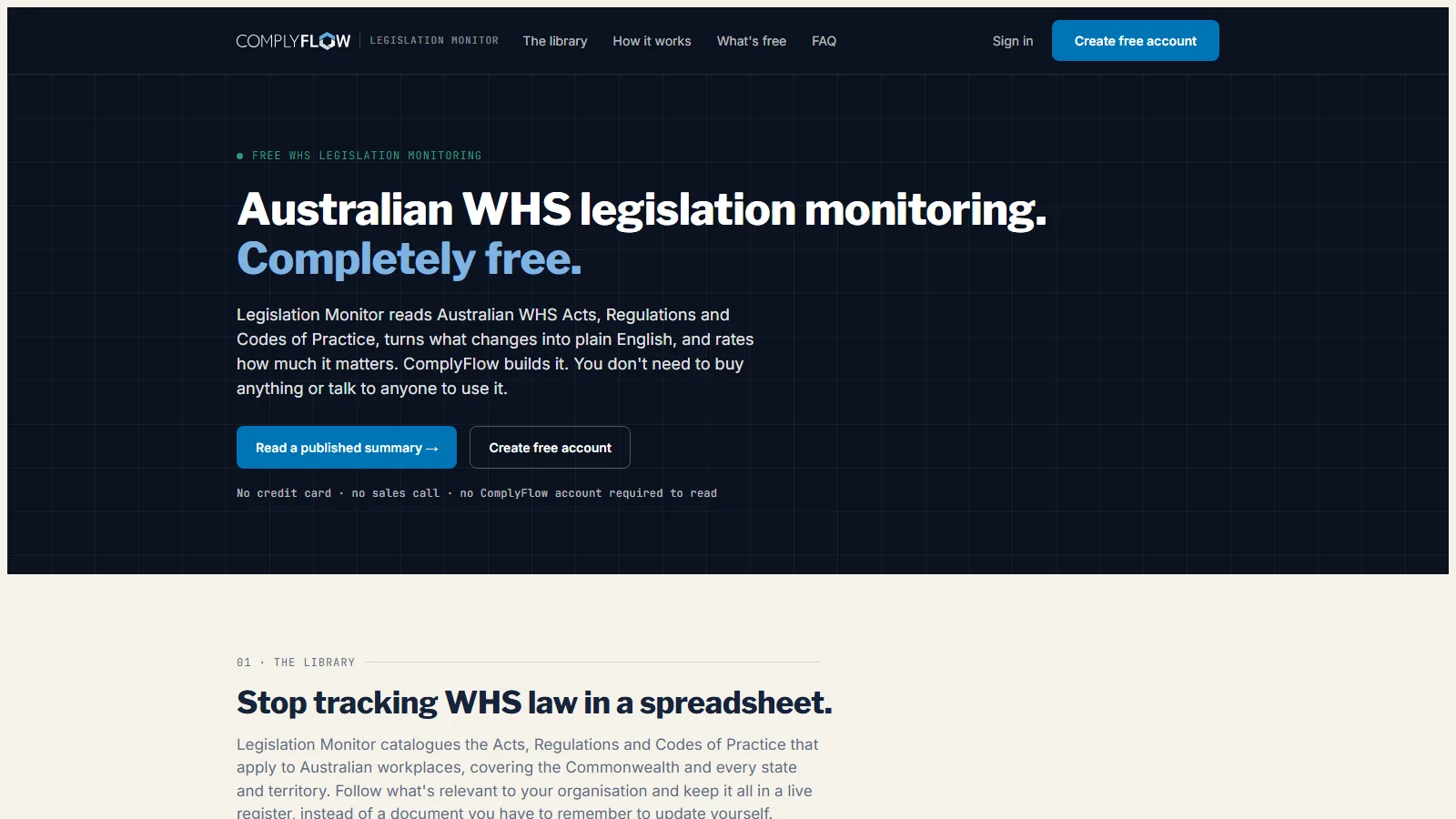
Free for anyone. It reads every Australian WHS Act, Regulation, and Code of Practice, turns each change into plain English, and rates how much it matters. It does not read procurement rules or the Modern Slavery Act.

Sign Up Free No credit card. No sales call.

monitor.complyflow.com
The Legislation Monitor home page: Australian WHS legislation monitoring, completely free
  • 390 instruments across all nine Australian jurisdictions
  • A plain-English summary and a severity rating for every change
  • AI reads the change, a person checks it, a Tuesday digest tells you
An operations manager and a maintenance contractor reviewing a work order on a tablet beside a control room window overlooking the production floor

Why ComplyFlow

Why Operations Teams Choose ComplyFlow, Not Another System to Check.

Most operations teams run a CMMS or an ERP, a prequalification network for the contractor list, and a spreadsheet for the rest. None of them was built to hold the work order until the crew is cleared.

Your CMMS or ERP aloneHolds the work order; does not check who is allowed to run itPrequalification networksThe contractor pays to be listed; that is not a work order checkSpreadsheets & the phoneFree, and relies on someone ringing round to check ComplyFlowOne record, your standard
A work order checked against compliance before it is released Not thereNot thereNot there Held or released, read straight off the work order
Your own requirements, not somebody else’s standard Not thereNot thereBuilt in Set once, with extras per site where a shutdown needs more
A live count of what is held at the gate right now Not thereNot thereNot there A live list, filtered by site, contractor, or reason
A new contractor’s documents read and graded automatically PartlyPartlyNot there AI reads it and grades it; you approve it
Permits tracked from raised to closed against the work order PartlyNot thereNot there Every permit closed on the same record as the job
Schedule adherence and stoppage hours on one feed PartlyNot thereNot there Live into Power BI, by site and by crew
Evidence for a section 19 duty, in one export Not therePartlyNot there Every check with a name and a time, filtered by date
The contractor registers once, for every site you run Not thereNot thereNot there One profile, every ComplyFlow Client, no fee per Client

This compares kinds of product, by how they are sold, not named vendors. Named comparisons, with dates and sources, live on the comparison pages.

Getting Started

We Set It Up With You. We Stay With You.

You are not handed a login and left to it. Our onboarding team builds your requirements with you, brings your contractors across, and stays on hand once the first site is live.

  • Mitch Bourne, ComplyFlow
  • Jessica Morgan, ComplyFlow
  • Sam Bourne, ComplyFlow
  • Phil Wallach, ComplyFlow
  • John McCann, ComplyFlow
  1. 1 We Map Your Requirements

    Every site, every gate, and what you need from a contractor before they can work: insurances, licences, tickets, inductions, high-risk permits.

  2. 2 We Bring Your Contractors Across

    We invite them, help them register and upload their documents, and answer their questions so you do not have to.

  3. 3 We Put the Gate on Every Work Order

    The gate checked against your CMMS or ERP, tested before anyone relies on it to release a job.

  4. 4 You Go Live, We Stay Close

    Training for your team, written guides for everyone, and a support team that picks up the phone.

  • ISO 27001 certified ISO 27001Certified 2019
  • AWS Qualified Software Certified 2023
  • GDPR, General Data Protection Regulation Compliant 2020
  • Microsoft Okta Single sign-on

Security & Data

Certified, Audited & Hosted in Australia.

Your compliance record is the evidence you rely on when somebody asks, so where it lives and who can reach it matters. ComplyFlow is ISO 27001 certified, runs on AWS in Australia, and your people sign in with the accounts they already have.

Questions

Questions Operations Managers Ask Before They Book a Demo.

Does a check at the gate ever hold up a crew that would otherwise be working?

Only when a requirement genuinely is not met, and the reason is shown, not a blank screen. Most crews clear in under a second because their documents are already current; the ones held are jobs that would have stalled on a phone call anyway, just later and with less warning.

Our contractors are already set up on Avetta or Cm3. Do they have to register again?

A contractor’s ComplyFlow profile carries across every Client on the platform, so if they already work for one of our other Clients some of their documents may already be there. Where they are not, they register once here, and that profile then works for every ComplyFlow Client afterward, with no fee per Client.

Can it handle a shutdown surge, forty-plus crews checking in inside a few hours?

Yes. The gate checks a crew’s compliance in under a second per scan, and a shutdown’s live headcount and permit list update the same way a Tuesday shift does, by site and by shift.

What happens to a job in progress if the system is down when a crew needs to start?

A crew already cleared and on site stays on site; the gate checks the record on the way in, not continuously. Inspections and sign-ins also work offline on a phone and sync once the device gets a signal, with the original time kept.

Does it integrate with the work order system we already run, or is it one more screen for my team?

ComplyFlow reads and writes to your CMMS or ERP through the open API, so a work order can be held or released from the system your team already uses, not from a separate screen they have to remember to check.

If a licence lapses mid-shift, does the job stop, or does someone have to notice?

The next scan stops the swap-in without anyone having to notice first. The Worker or company is no longer cleared the moment it lapses, and the gate reflects that at the next check, not whenever someone happens to look.

Where does AI make a call, and where does a person still make it?

AI reads a certificate, a licence, or a method statement against the criteria you set and tells you what is missing and why. It does not decide who gets through the gate and it does not release a work order. A person sets the requirements and approves any exception, and that person is you or someone you nominate.

See It Against Your Own Work Orders and Crews.

Book a 30-minute demo. We will show you ComplyFlow working with your work order system, your crews, and the reports you already have to produce. No slides, no hard sell.

  • ISO 27001
  • Hosted on AWS
  • Microsoft & Okta SSO
  • API & MCP
  • Data in Australia

Compliance you can prove, instantly.