
Create Free Account

Contractor Compliance Software for State & Federal Government

Cleared. Inducted. Signed In. One Record for the Whole Estate.

For departments, agencies, and the contractors who run their estate. Security clearance, WHS compliance, and site access on one record, ready for the accountable authority or the auditor before they ask.

  • Commonwealth departments & agencies
  • State departments & GOCs
  • Defence estate
  • Schools & campuses
  • Corrective services
  • Facilities & construction contractors
A security officer checking a contractor’s pass at the reception desk of a government office building, a hi-vis-clad tradesperson waiting with his toolbox beside her Cleared at reception, not just at the panel

ComplyFlow for State & Federal Government.

Contractor compliance software for state and federal government. One record holds every department’s or agency’s contractors: security clearance, a school’s Working With Children Check where a site needs it, WHS compliance, and sign-in, ready for the accountable authority, the auditor, or a parliamentary inquiry the day they ask.

  • One record across every department, agency, or estate you run. Not a spreadsheet in procurement and another in security, each telling a different story.
  • Security clearance and WHS compliance sit side by side. See whether a Worker is both cleared and inducted for this site, today, in the one place.
  • Audit-ready for the ANAO, an auditor-general, or a parliamentary inquiry. The contract-management record a Committee asks for is already assembled, not built the week of the hearing.
  • Nobody moves through a secure zone unescorted or unchecked. Clearance level, induction, and sign-in are checked at the gate, for schools, offices, and defence sites alike.

Already Trusted Inside Government.

A department running its contractor compliance on ComplyFlow.

  • NSW Department of Planning, Industry and Environment

The Numbers

What the Numbers Say About the Public Sector Estate.

Public figures from the regulator and the Commonwealth’s own auditor, with the year each one applies to. What they mean for a department or an agency is underneath each.

How It Helps

Digitised. Automated. AI-Reviewed. The Whole Contractor Lifecycle, for the Public Sector Estate.

Three things make ComplyFlow different for a department, an agency, or an estate contractor, and every job on the estate draws on all three.

  • 01

    The Whole Estate, on One Record.

    First panel check to annual review: every department, agency, Worker, and site on one record. Nothing falls between procurement, security, and WHS.

  • 02

    Your Procedures, Digitised & Automated.

    Sign-in book, vetting register, and permit pad become one system that chases, checks, and closes out on its own.

  • 03

    AI That Does the Reading.

    Clearance documents, method statements, and inspections read against your standard in seconds, reasons shown. Your people make the call.

What you do Digitise Automate AI
Prequalify for the panel or standing offer Contractor registers once; insurances, licences, and the Commonwealth Supplier Code of Conduct declaration uploaded online. Expiry reminders and re-approval requests go out on their own. Certificates and declarations read against your requirements; gaps shown.
Track a security clearance Clearance level, Baseline to PV, and its expiry recorded against the Worker, not just the company. Sign-in is withdrawn the day a clearance lapses or is not renewed. Clearance status sits beside WHS and licence status on the one record, so nothing is missed because it lives in a different system.
Induct for the site & the agency Agency-specific induction on the Worker’s phone, on top of the standard WHS induction. An expired induction blocks sign-in until it is renewed. Induction content and questions checked against your standard as you build them.
Check the Working With Children Check A valid, paid Working With Children Check recorded against every Worker on an active school site. Sign-in is blocked the day a check lapses; a maintenance declaration is tracked separately where one applies. The document a Worker uploads is read and its expiry date extracted automatically; gaps shown.
Sign in at reception, the gate, or the kiosk A QR code or a tablet at every entry point replaces the visitor book and the sign-in sheet. The record is checked at the door: not cleared, not in. The live list updates itself. Ask your AI assistant who is on site right now, through MCP.
Permit high-risk or secure-zone work Heights, hot works, and escorted-access permits raised on a phone. Routed to your authoriser; closes with a time-stamped record of who signed what. The method statement behind the permit read against your standard before approval.
Inspect the estate Building, plant, and site inspections on a phone, with photos, by building or by base. Every failed item becomes an owned, dated corrective action. The photos and the failed items sit on the record the moment the inspection syncs.
Report to the accountable authority or the auditor One searchable record per department, agency, or estate, not a folder per site. Live completion rates and scheduled reports into Power BI. Ask in plain English through Claude, ChatGPT, or Copilot; the answer comes from the record.

Clearance and vetting decisions stay with your agency and AGSVA. ComplyFlow keeps the record of status and expiry, not the vetting itself.

Who It Is For

What ComplyFlow Means for Me, in a Department or Agency.

Find your job. Three lines show what changes for you.

  • WHS & Safety Manager

    • Every Worker cleared before they start
    • High-risk permits approved and kept in one place
    • One export for Comcare, an auditor, or inquiry
  • Estate & Facilities Manager

    • Site requirements on top of the agency’s
    • Who is inside the estate right now
    • Inspections tracked to close-out across every site
  • Security & Clearance Manager

    • Clearance level recorded alongside WHS and licence status
    • Sign-in blocked the day a clearance lapses
    • A live list of who holds clearance today
  • Procurement & Contract Manager

    • Panel status and Worker clearance kept separate
    • Insurances, licences, and Code of Conduct declarations uploaded
    • Supplier compliance by ABN, through the API
  • Governance & Audit Manager

    • Every check, approval, and sign-in kept and searchable
    • One export ready for the ANAO or Committee
    • Corrective actions tracked to close-out, with an owner
  • Defence Base Services Manager

    • Escorted-access and secure-zone permits recorded against the Worker
    • Base-specific requirements sit on the agency’s standard set
    • Roll call for the base, not a book
  • Accountable Authority & Executive

    • Compliance by department or estate, in Power BI
    • One record to answer Parliament or an auditor-general
    • Record behind the public-resources duty, not a trail
  • Contractor Business Owner

    • Register once, for every department on ComplyFlow
    • Upload documents once; reminders before anything runs out
    • A profile that proves your workforce meets requirements
    Find out more

Features You’ll Love

The Features State & Federal Government Teams Use Every Week.

Four jobs a department, an agency, or an estate contractor does every week, and what changes when they all run off one record.

Prequalify Against the Panel, Not Just a Standard.

Set what a standing offer or panel requires: public liability, trade licences, the Commonwealth Supplier Code of Conduct declaration, and your induction. Every contractor is measured against the one list, and the dashboard shows who is short before they are engaged.

  • Standing-offer and panel requirements, set once
  • State-specific extras where a department needs them
  • Contractors upload once, for every agency you run

Sign-In at the Gate Decides Who Is on the Estate.

A QR code at reception, the dock, or the gate. The Worker scans in, the record checks their induction, clearance, and licence, and the estate manager sees who is on site right now. Not cleared, not in.

  • Works after hours and at lightly staffed sites
  • Visitors, contractors, and escorted Workers on the same sign-in
  • A live list for a lockdown or an evacuation
A contractor scanning a QR code at the security gate of a government office building, an agency security officer checking the screen beside him

Clearance & WHS Compliance, on the Same Record.

A Worker’s security clearance level, its expiry, their induction, and their licence sit on one profile, not four different systems run by four different teams. See in one place whether this Worker is both cleared and inducted for this site, today.

  • Clearance level and expiry recorded against the Worker
  • A Working With Children Check tracked the same way for school sites
  • Sign-in blocked the moment any one of them lapses

Escorted Access & High-Risk Work, Permitted Properly.

Heights and hot works on a heritage building, asbestos in older stock, or a secure zone that needs an escort: the permit is raised on a phone, the method statement behind it is read against your standard, and it closes with a record of who signed what and when.

  • Heights, hot works, and escorted-access permits
  • Method statements read against your standard before approval
  • Every permit kept, searchable, for the audit
A contractor harnessed and working at height on the facade of a heritage-listed government building, a heritage approval notice visible on a clipboard nearby

The Numbers You Run On

The KPIs a Government Team Reports, and Where Each One Comes From.

The measures an accountable authority, an auditor, or a Committee asks for.

Reads from names the ComplyFlow record each measure is read from. The targets are yours.

  1. Panel & standing-offer currency

    Share of your panel whose insurances, licences, and declarations are current

    Reads fromThe prequalification record, by department or panel

  2. Security clearance currency

    How many Workers on site hold a current clearance

    Reads fromClearance level and expiry, checked at sign-in

  3. Induction before first shift

    Whether everyone who signed in had completed induction first

    Reads fromSign-in checked against the induction record

  4. Permit close-out time

    How long escorted-access or hot-works permits stay open

    Reads fromPermit raised, approved, and closed, with a time

  5. Corrective action close-out rate

    The share of failed inspection items closed by their due date, across the estate

    Reads fromEvery failed item becomes an owned, dated action

  6. Uncleared sign-in attempts

    How often a Worker turned up who should not have

    Reads fromEvery refusal at the gate, with reason

Fits the Systems Your Estate Already Runs

Slots Into the Systems Your Department or Agency Already Runs.

Read it left to right: where people and work arrive, the one record that checks them, and where the proof goes.

Where people and work arrive

QR kiosks & tablets at receptionWorkers, visitors, and contractors scan in on their own phone or your tablet built in
Security clearance sponsorshipClearance level and expiry recorded against the Worker, from Baseline to PV
Standing offers & panelsThe panel or tender decision; the record then tracks the Worker, not just the company
Working With Children ChecksRecorded and tracked the same way as any other licence, for every school site
Microsoft & Okta sign-onYour people log in the way they already do SSO
PrequalificationWorkforce ComplianceTraining & InductionSite AccessVisitor Sign-InSite DocumentsDigital PermitsInspections & AuditsPlant & EquipmentIncident ManagementRisk Management ComplyFlow. One Record.

Where the proof goes

Power BI dashboardsCompliance by department, agency, or estate, up to the accountable authority
Your ERP, HR & estate systemsThrough the open API, whatever your department or agency already runs
Audit & inquiry reportingThe export an ANAO, a state auditor-general, or a Committee asks for
AI assistants via MCPAsk Claude, ChatGPT, or Copilot who is on site and what is overdue MCP
Legislation MonitorWhen a WHS Act, Regulation, or Code changes, you hear about it first

Sign-on, kiosks, and the Legislation Monitor are ComplyFlow’s own. Everything else connects through the open API and MCP, so if a system in your estate has an API, it belongs on this drawing.

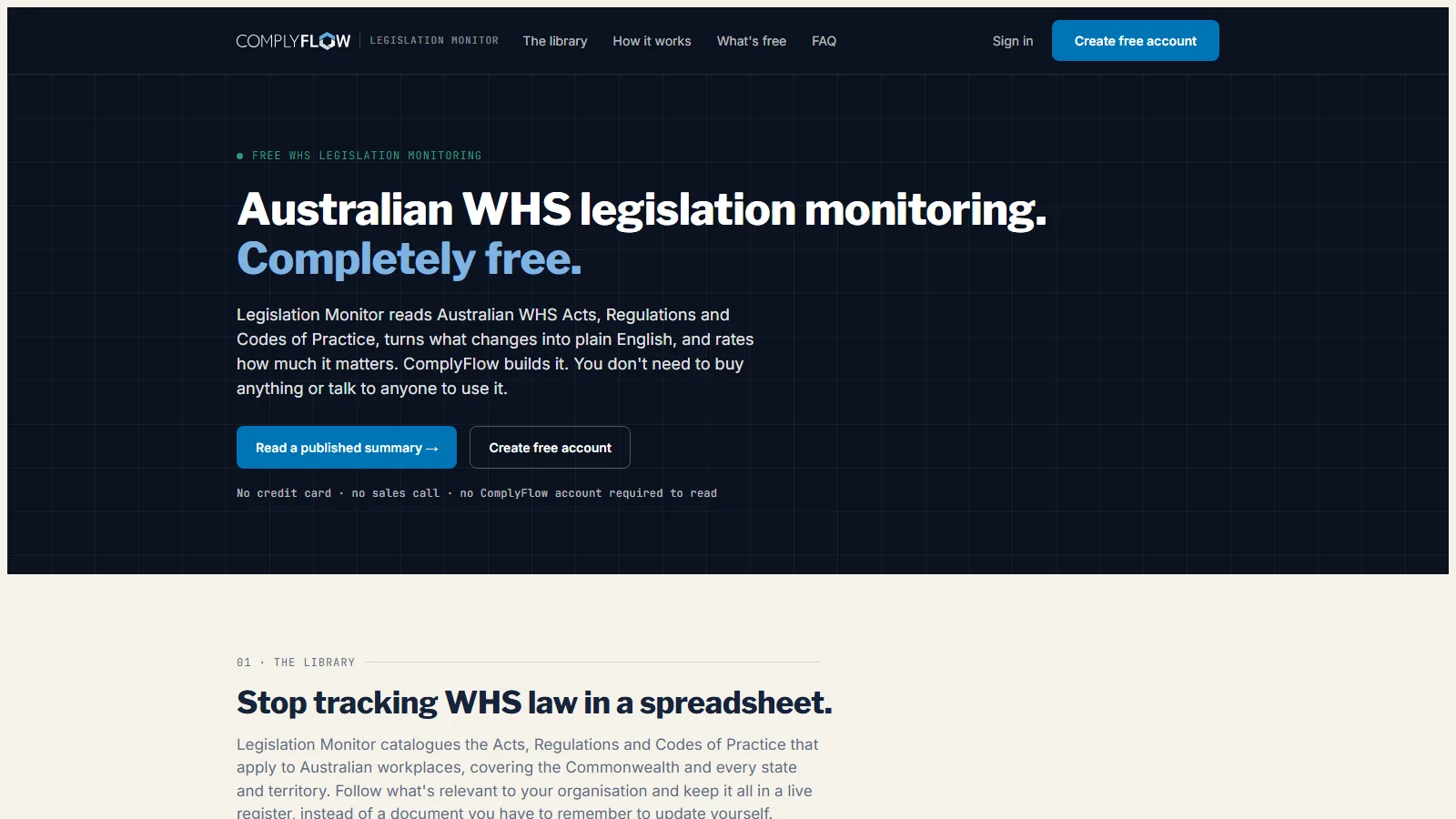
Free From ComplyFlow. No Account Needed.

Know When the Rules Change, Before Your Auditor Does.

Free for anyone. It reads every Australian WHS Act, Regulation, and Code of Practice, turns each change into plain English, and rates how much it matters.

Sign Up Free No credit card. No sales call.

monitor.complyflow.com
The Legislation Monitor home page: Australian WHS legislation monitoring, completely free
  • 390 instruments across all nine Australian jurisdictions
  • A plain-English summary and a severity rating for every change
  • AI reads the change, a person checks it, a Tuesday digest tells you

Why Government Teams Use It

What State & Federal Government Teams Get, in Plain Words.

Less chasing, one record for clearance and compliance, and proof you can put in front of the accountable authority, the auditor, or a Committee the day they ask.

An estate manager checking a tablet against a security gate at a government office building, a contractor signing in on the screen beside her
A state or federal government office building seen from the street, the kind of building a department or agency runs

Why ComplyFlow

Why State & Federal Government Teams Choose ComplyFlow, Not Another Point Solution.

Most departments and agencies run a panel system, a generic contractor-management tool, and a spreadsheet with the sign-in book. Each does one job. The gaps between them are where clearance, WHS, and audit evidence fall apart.

Panel & standing-offer systemsManages the procurement decision; not the Worker’s ongoing clearance or inductionGeneric contractor-management SaaSBuilt for construction or mining, not a security-classified estateSpreadsheets, paper registers & the sign-in bookFree, and relies on every team keeping its own copy current ComplyFlowOne record, your standard
One record from the company to the Worker to the site Not therePartlyNot there Company, Worker, site, and permit on the same record
Security clearance recorded alongside WHS and licence status Not thereNot thereNot there Clearance level and expiry sit on the same profile as everything else
Your requirements, not a network or a panel standard Not thereBuilt inBuilt in Set once for the agency, extras per site or per clearance level
Sign-in that checks clearance, induction, and licence before the gate opens Not therePartlyNot there Not cleared, not in; the live list updates itself
Permits with the method statement read against your standard Not therePartlyNot there AI reads it; your authoriser approves it
Inspections tracked to close-out across the whole estate Not therePartlyNot there Every failed item becomes an owned, dated action
The contractor registers once, for every Client Not thereNot thereNot there One profile, every ComplyFlow Client, no fee per Client
Open API and MCP into your ERP, HR, and estate systems PartlyPartlyNot there Power BI, your ERP, and Claude, ChatGPT, or Copilot

This compares categories of product, by how each is sold, not named vendors. Named comparisons, with dates and sources, live on the comparison pages.

Getting Started

We Map Your Estate. We Stay With You.

You are not handed a login and left to it. Our onboarding team builds your department, agency, or estate with you, brings your contractor panel across, and stays on hand once the first site is live.

  • Mitch Bourne, ComplyFlow
  • Jessica Morgan, ComplyFlow
  • Sam Bourne, ComplyFlow
  • Phil Wallach, ComplyFlow
  • John McCann, ComplyFlow
  1. 1 We Map Your Sites & Requirements

    Every building, base, or campus, every sign-in point, and what a Worker needs before they can start: clearance level, licences, insurances, inductions, and any school-specific check.

  2. 2 We Load Your Contractor Panel

    We invite your standing-offer or panel contractors, help them register and upload their documents, and answer their questions so your team does not have to.

  3. 3 We Put Sign-In at Every Gate

    QR codes and tablets at reception, the dock, or the gate, tested before anyone relies on them, including after-hours and lightly staffed sites.

  4. 4 You Go Live, We Stay Close

    Training for your team, written guides for everyone, and a support team that picks up the phone.

  • ISO 27001 certified ISO 27001Certified 2019
  • AWS Qualified Software Certified 2023
  • GDPR, General Data Protection Regulation Compliant 2020
  • Microsoft Okta Single sign-on

Security & Data

Certified, Audited & Hosted in Australia.

Your compliance record is the evidence you rely on when somebody asks, so where it lives and who can reach it matters. ComplyFlow is ISO 27001 certified, runs on AWS in Australia, and your people sign in with the accounts they already have.

Questions

Questions State & Federal Government Teams Ask Before They Book a Demo.

Is ComplyFlow IRAP-assessed for our classification level?

ComplyFlow is hosted in Australia on AWS and is ISO 27001 certified. IRAP is a separate, higher bar again; talk to us directly about where that stands for your classification level, because we do not want to overstate it here.

Where is our data hosted, and does that meet our data-sovereignty requirement?

In Australia, on AWS. Your data sits behind ISO 27001 certification, and your people log in with Microsoft or Okta single sign-on, so there are no new passwords to manage.

Can the platform show a Worker’s security clearance alongside their WHS and licence status, in one record?

Yes. Clearance level and expiry sit on the same Worker profile as their induction, licence, and insurance status, so sign-in checks all of it at once.

Can requirements differ by site and by clearance level within one contractor record?

Yes. Requirements sit at the department or agency level, with extras per building, base, or campus, including a school’s Working With Children Check or a secure zone’s escort requirement.

Does it integrate with our existing ERP and estate systems?

Yes, through an open API. Your ERP, HR, and estate systems keep running; ComplyFlow adds the one compliance record they can all read from.

What does the audit trail look like for an ANAO or a state auditor-general request?

Every check, approval, permit, and sign-in is kept and searchable. You can export a full contractor or site record on demand, by department, agency, or estate.

Who can see our data inside ComplyFlow, and is it segregated from every other agency or department on the platform?

Your data is segregated to your account. Only your people, and anyone you invite, can see it.

What happens to our data if we leave, and how quickly can we get a full export?

You can export your full record at any time you hold an active account, and you get a full export when you leave.

See It Against Your Own Estate, Panel, and Sites.

Book a 30-minute demo. We will show you ComplyFlow working with your kind of department, agency, or estate, your contractor panel, and your requirements. No slides, no hard sell.