Create Free Account

Incident Management Software

Reported in the Field. Closed When the Actions Close.

The incident lands against the site and the person already on the record. Notifiable ones go to legal first. Every corrective action has an owner, and the incident cannot close until they do.

  • Safety & HSE
  • Site Managers
  • Legal & Risk
  • Operations
  • HR
The person involved is already on the record, with their induction

What Incident Management Software Does.

Incident management software records what happened, who was involved, and what was done. ComplyFlow raises the incident against the person already on your record, restricts notifiable ones to legal, and stays open until every action closes.

  • The incident is recorded where and when it happened. Description, shift, date and time, date reported, site, and your own incident types. Sections auto-save as you go; Notify the people who need to know.
  • It lands on a record that already exists. The Worker involved, their induction, their licence, their sign-in that morning, and the contractor they work for are already there. You are not reconstructing.
  • The notifiable ones go to legal first. Flag it as potentially notifiable and only the security group can see it until they unrestrict it. The group is emailed at once.
  • It closes when the actions close. Corrective actions with owners and due dates; the incident reads Pending Actions until every one is closed or not required, then Ready-to-Close.
A supervisor in hi-vis kneeling beside a fallen pallet and a taped-off area in a warehouse aisle, recording the incident on her phone

What It Covers

The Whole Module, Not the Highlights.

Everything below is in the product today and documented in the Help Centre, not on a roadmap.

Report

Investigate

Learn & Report

Every item links to the Help Centre article that documents it.

How It Works

Four Screens That Carry the Module.

Real screens, not diagrams: the incident, the actions it raises, the chart it feeds, and the record it lands on.

The Incident, on the Record.

What happened, when, on which shift, at which site, to whom. The person involved is already on the record with their induction and their sign-in. Flag it potentially notifiable and it is restricted to the security group until legal unrestricts it. The status moves as the actions close.

  • Your incident types and your questions
  • Potentially notifiable, restricted to legal
  • Pending Actions until every action closes

Every Corrective Action, Owned and Dated.

Each action from the investigation has an owner, a due date, and a status. Close it with the activity, the date, and the files; mark it partial or not required. The incident cannot read Ready-to-Close until they are done. Export the list for the committee.

  • Open, in progress, partial, closed, not required
  • Activity and files on close-out
  • Exported to CSV

The Pattern, Not Just the Event.

A bar or a pie by type, tag, or any question on your form, over the period you choose. Click through to the incidents behind a bar. Export it for the board pack, or let Power BI read the incident and injury data through the API.

  • By type, tag, or question
  • Date presets; PNG, PDF, or SVG export
  • Incident and injury data by API

Who Was There, Already Known.

The investigation does not start with a phone call. The sign-in book says who was on site and when, the Worker’s record says what they were inducted in and which licence they held, and the contractor’s record says when they were prequalified and against what.

  • Sign-in time and location from the book
  • Induction, licence, and permit on the Worker
  • The contractor’s prequalification beside it

Who It Is For

What Incident Management Means for Me.

Find your job. The lines under it are what changes on your desk, not ours.

ComplyFlow Is Already Trusted.

Incidents at property, transport, resources, manufacturing, government sites, and more are already recorded on ComplyFlow.

  • National Intermodal
  • BlueScope
  • Toll
  • CBRE
  • NSW Planning, Industry and Environment
  • Maersk

Book a Demo

Bring Your Incident Form. We Will Rebuild It in Front of You.

A 30-minute call with someone who has set this up for depots, plants, and portfolios: your incident types, your notifiable process, your action owners, in the product.

  • An incident raised live against a Worker already on the record
  • It flagged potentially notifiable and restricted to the security group
  • A corrective action raised, then the status moving as it closes
Talk to Us Instead

No slides, no hard sell. A working session on your own set-up.

Book Your Demo

Thirty minutes, on your own requirements.

Book Demo

The form loads from HubSpot. If it does not appear, the button takes you to the demo request page.

How It Helps

Every Job in the Module: Digitised, Automated, Read by AI.

Three things make ComplyFlow different, and every job in incident management draws on all three.

  • 01

    The Whole Lifecycle, on One Record.

    The incident lands on the person and the site that already exist, with the induction, the licence, the permit, and the sign-in beside it. The investigation starts with facts, not phone calls.

  • 02

    Your Procedures, Digitised & Automated.

    Your form, your types, your notifiable process, your notification groups. The status moves itself as actions close, and the people who must know are told without a coordinator.

  • 03

    AI That Answers the Question.

    Which sites have repeated near misses, which actions are overdue and whose, what the Worker was inducted in on the day: asked in plain English through MCP.

What you do Digitise Automate AI
Report it Description, shift, date and time, site, type, on the web; sections auto-save. Notification groups emailed on submission, PDF attached if you choose. Ask your assistant what else happened at that site this quarter.
Contain who sees it Potentially notifiable flag; security groups; external users per incident. Restricted to the notifiable group until unrestricted; the group emailed at once. Ask which incidents this year were flagged notifiable and by whom.
Investigate it Your questions and tags; the Worker and the contractor already on the record. Awaiting Sign-off triggered by tag logic on serious incidents. Ask what the Worker was inducted in and when they signed in that day.
Fix it Corrective actions with owner, due date, activity, files. Pending Actions until every action closes; then Ready-to-Close. Ask whose actions are overdue and by how long.
Learn from it Charts by type, tag, or question; incidents filtered and exported. Incident and injury data to Power BI through the API. Ask in plain English through ChatGPT, Claude, or Copilot.
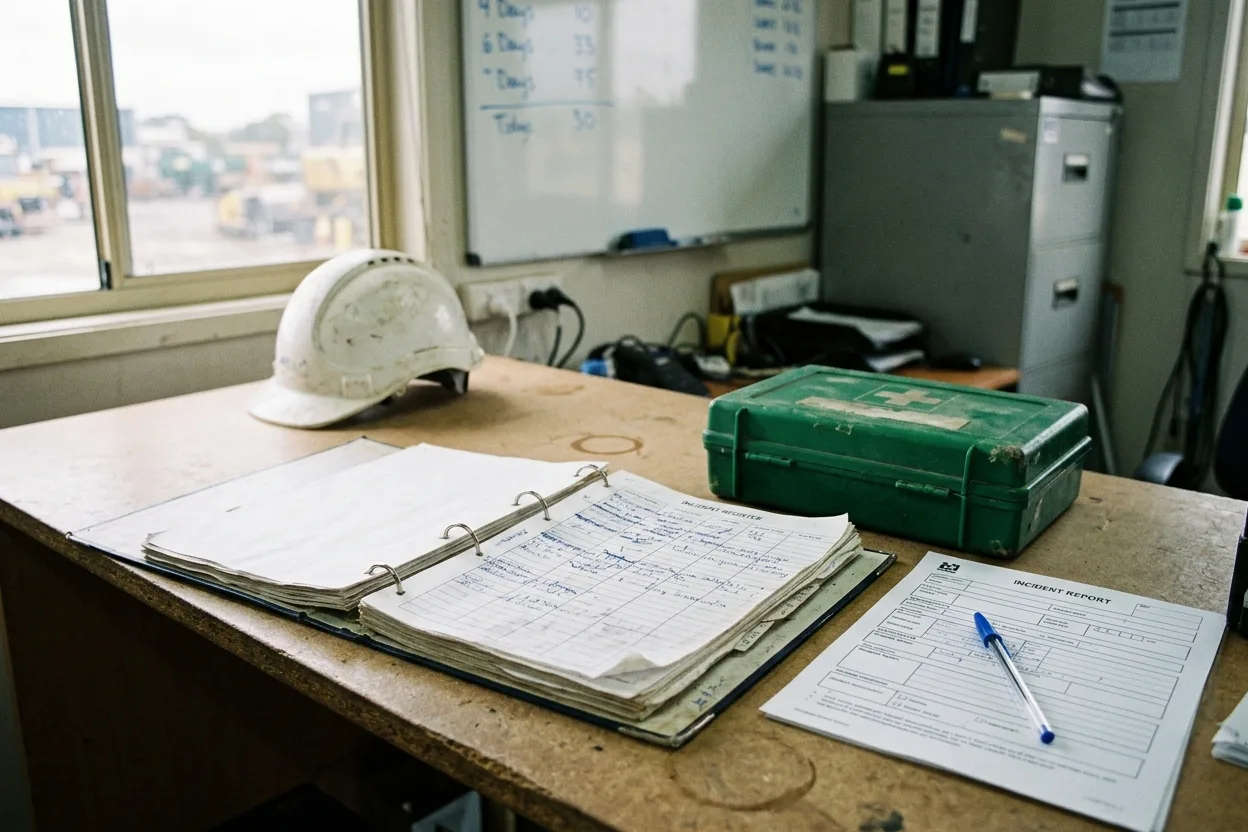
An incident register binder open on a site office desk beside a first aid kit and a printed incident form with a pen, a whiteboard of days since last incident behind

How It Stacks Up

Where Incidents Usually Live, and What Each Misses.

Most businesses record incidents in a spreadsheet or a register, a stand-alone incident tool, or the incident module of an EHS suite. Each covers part of it.

The register and a spreadsheetRecords the event; the actions live in somebody’s emailA stand-alone incident toolGood forms; knows nothing about the Worker or the gateAn EHS suiteThorough for employees; contractors and their sign-ins are elsewhere ComplyFlowOne record, your standard
The Worker involved already on the record with induction and sign-in Not thereNot therePartly One record from prequalification to the incident
Potentially notifiable incidents restricted to legal first Not therePartlyPartly Security group, emailed at once, until unrestricted
Corrective actions with owners; status moves as they close Not thereBuilt inBuilt in Pending Actions to Ready-to-Close on its own
Contractors report and act on their own account Not therePartlyNot there The contractor’s Workers, actions, and record together
Charts by type, tag, or any question, exported PartlyBuilt inBuilt in Pie or bar, date presets, PNG, PDF, SVG
Incident and injury data in Power BI PartlyPartlyBuilt in REST API, three versions, and MCP

This compares kinds of product, by how they are sold, not named vendors. Named comparisons, with dates and sources, live on the comparison pages.

Getting Started

We Set It Up With You. We Stay With You.

You are not handed a login and left to it. Our onboarding team rebuilds your incident form with you, sets the notifiable process, and stays on hand once the first incident is raised.

  • Mitch Bourne, ComplyFlow
  • Jessica Morgan, ComplyFlow
  • Sam Bourne, ComplyFlow
  • Phil Wallach, ComplyFlow
  • John McCann, ComplyFlow
  1. 1 We Rebuild Your Incident Form

    Your types, your questions, the tags that flag a serious incident, and the fields your investigation needs.

  2. 2 We Set the Notifiable Process

    The security group that holds a potentially notifiable incident, who is in it, and the notification groups for everything else.

  3. 3 We Connect the Record

    Sites, Workers, and contractors already in ComplyFlow, so the first incident lands on people who already exist.

  4. 4 You Go Live, We Stay Close

    Training for your safety team and supervisors, a Help Centre for everyone, and a support team that picks up the phone.

  • ISO 27001 certified ISO 27001Certified 2019
  • AWS Qualified Software Certified 2023
  • GDPR, General Data Protection Regulation Compliant 2020
  • Microsoft Okta Single sign-on

Security & Data

Certified, Audited & Hosted in Australia.

Your compliance record is the evidence you rely on when somebody asks, so where it lives and who can reach it matters. ComplyFlow is ISO 27001 certified, runs on AWS in Australia, and your people sign in with the accounts they already have.

Questions

Questions People Ask About Incident Management Before a Demo.

Who can report an incident?

Staff with the incident permission add it from the Incident module: description, shift time, date and time, date reported, site, and one or more of your incident types. Sections auto-save, and Notify sends it to the people who need to know before it is finished.

How does it handle notifiable incidents?

When the feature is enabled, the reporter is asked whether the incident is potentially notifiable. Flag it and only the Notifiable Incident security group, typically legal, can see it; they are emailed at once with the reporter’s name, phone, and the details. They add users, or unrestrict it once it is judged not notifiable. It does not lodge the notification with the regulator for you.

What are the statuses?

Draft, Draft & Notified, Submitted, Pending Actions, Awaiting Sign-off for serious incidents flagged by tag logic, Ready-to-Close, and Closed. An incident moves on its own when there are no pending actions or investigations, and can be reopened to Submitted.

How are corrective actions tracked?

Each has an owner who is notified, a due date, and a status of Open, In Progress, Partial, Closed, or Not Required. Close one with the activity, the date, and any files. The incident reads Pending Actions until every action is closed or not required. The list exports to CSV.

Can a contractor report incidents in it?

Yes. The contractor’s Workers, their sign-ins, and their prequalification are already on the same record, so a contractor incident is recorded, investigated, and reported the same way as your own, and the person involved carries their induction and licences into the investigation.

Can our reporting read incident data?

Yes. Incident data in three API versions and injury data are available through REST, which is how enterprise Clients feed Power BI, and the dashboard charts export as PNG, JPEG, PDF, or SVG. Through MCP, an assistant can be asked which sites had a near miss this month.

See It With Your Own Incident Form.

Book a 30-minute demo. We will raise an incident live against a real record, flag it notifiable, raise an action, and watch the status move. No slides, no hard sell.

  • ISO 27001
  • Hosted on AWS
  • Microsoft & Okta SSO
  • API & MCP
  • Data in Australia

Compliance you can prove, instantly.