
Create a free account
Contact SalesA comprehensive, impartial guide to inspection software with free tiers
Selection Criteria: All tools below feature native mobile apps (iOS/Android), a web management dashboard, and offline inspection capability. 'Free users' reflects either a free-forever small-team plan or a free CMMS tier. Where vendors don't publish a fixed user cap, limits are plan-dependent. This guide includes honest assessments of limitations based on verified user reviews.
Introduction
Finding a truly free-forever inspection platform with offline capability, native apps, and a web dashboard is challenging. Most solutions offer either a limited free tier for small teams or a free CMMS (Computerised Maintenance Management System) that includes inspection functionality. This guide provides an honest assessment of each platform, including known limitations based on verified user feedback from Capterra, G2, Software Advice, and other review platforms. We aim for accuracy. If you notice anything incorrect, please let us know, and we’ll update it.
Quick Comparison Table
| Product | Free Users | Offline | Scheduling | Corrective Actions | Key Limitation | Contractor Friendly | Plant/Asset Inspections | Customisable Fields/Templates |
|---|---|---|---|---|---|---|---|---|
| ComplyFlow | 5 users | Yes | Yes | Yes | 5 active templates. 2,000 inspections per year | Designed for contractor onboarding and workforce compliance | Full Plant & Vehicles module enabling asset and equipment inspections | Configurable inspection templates and custom fields |
| SafetyCulture | 10 users (3 devices) | Yes | Yes | Yes | 3-device limit; 5 active templates on free | Widely used by contractors and field teams | Limited digital asset register | Very strong drag-and-drop builder |
| Lumiform | Varies | Yes | Yes | Yes | User caps unclear; integration limits | Commonly used by field teams | Checklist-based inspections; no structured asset register | Customisable checklists and forms |
| Safesite | Unlimited* | Yes | Yes | Yes | Internet dependent; limited templates | Designed for construction safety | Focused on safety rather than assets | Moderate customisation |
| MaintainX | Role-based | Yes | Yes | Yes | Limited customisation; reporting gaps | Supports contractors via work orders | Basic asset register with maintenance tracking | Configurable checklists |
| Fiix CMMS | Free tier | Yes | Yes | Yes | Dated interface; reporting in paid only | Used by maintenance teams | Inspections via work orders only | Moderate configuration |
| Limble CMMS | Free tier | Limited | Yes | Yes | Offline requires prior sync/login | Industrial maintenance environments | Comprehensive plant inspections | Moderate PM customisation |
| Fracttal One | Free tier | Yes | Yes | Yes | Needs stable internet; pricing unclear | Asset-heavy contractor environments | Limited asset tracking | Moderate configuration |
| Formitize | Trial only | Yes | Yes | Yes | No free tier; difficult implementation | Contractors and service businesses | Supports asset and site inspections | Highly customisable forms |
| Safety Reports | Trial only | Yes | Yes | Yes | No free tier; limited custom reports | Construction contractors | Primarily safety inspections | Limited customisation |
Detailed Reviews
- ComplyFlow
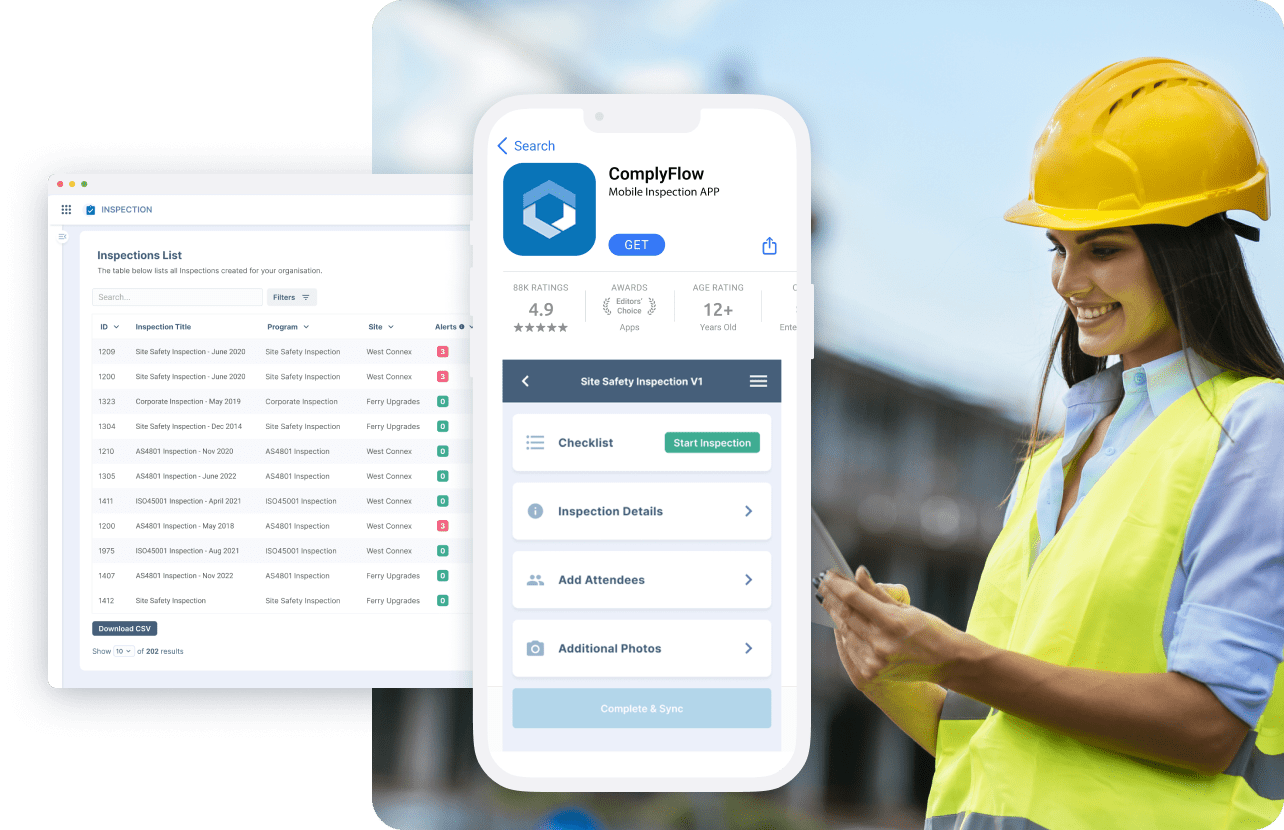
ComplyFlow is purpose-built for operational safety and compliance inspections, with a central web management portal and native mobile apps designed for frontline use. It supports offline inspections with automatic sync, configurable templates, scheduled inspection programs, and corrective actions within the same workflow. The platform offers 5 free users and 5 active templates, making it an accessible entry point for small teams with the scalability to support enterprise requirements as organisations grow.
Best for: Any industry requiring WHS compliance, including construction, manufacturing, and healthcare.
Website: complyflow.com
https://www.complyflow.com/enterprise/audit-and-mobile-inspection
- SafetyCulture (iAuditor)
SafetyCulture remains a popular option for inspection checklists, offering a mature web app, reliable iOS/Android clients, and offline capture. The free plan allows up to 10 users with unlimited inspections, though it limits active templates to 5 and cloud storage to 5GB. The platform includes a vast template library (1,000+ options) and scheduling capabilities.
Known Limitations: Users report a 3-device limit per user requires frequent logouts when switching devices. Some reviewers note limited report customisation options and occasional syncing difficulties in areas with poor connectivity. Advanced features and analytics are locked behind paid tiers ($24/user/month). The free plan restricts inspection data retention to 3 years.
Best for: Teams needing an extensive template library and proven mobile-first experience.
Website: safetyculture.com
https://help.safetyculture.com/en-US/001833/
- Lumiform
Lumiform offers a free-forever entry plan with a clean web platform and native apps, highlighting offline inspection work as a core capability. The template library includes 12,000+ starter checklists with a no-code builder for custom forms. The platform converts findings into tasks and corrective actions, with real-time reporting features.
Known Limitations: The vendor doesn't clearly publish free user caps — limits depend on usage. Some users report that customising multiple checklists and workflows can be time-consuming. Reviews indicate limited options for niche or legacy system integrations. Some users have raised concerns about customer support responsiveness and auto-renewal subscription terms. The reporting interface could offer more customisation options according to user feedback.
Best for: Teams wanting extensive pre-built templates with minimal setup.
Website: lumiformapp.com
https://help.lumiformapp.com/en/knowledge/lumiform-desk
- Safesite
Safesite is a safety-first inspection and hazard management platform with a free plan that includes mobile apps and a risk dashboard. The free tier allows unlimited members with some reporting limitations. Offline mode is supported across core features, and the platform includes toolbox talks, hazard management, and safety scoring functionality.
Known Limitations: Users report the app is heavily dependent on internet access — inspections can be problematic in areas with limited connectivity. Not all trades are represented in pre-built templates (e.g., fire sprinkler, stone workers noted as missing). The safety grades/scoring metrics can be confusing with unclear calculation methods. Some reviewers mention occasional glitches and delays in report uploads. Earlier versions had functionality issues, though updates have improved stability.
Best for: Construction and field safety teams needing combined inspection, hazard, and toolbox talk functionality.
Website: safesitehq.com
https://www.softwareadvice.ie/software/169201/safesite
- MaintainX
MaintainX is a CMMS/operations platform whose free tier includes checklists and inspection workflows via a mobile-first design with offline mode. The platform excels where inspections are tied to equipment, assets, or recurring maintenance. The free plan limitations are role-based rather than a simple user count.
Known Limitations: Users report limited customisation options for certain workflows and forms. The mobile app doesn't display the entire screen when the font size is set to large, causing items to be missed. Some reviewers find the repeating work order function confusing compared to other CMMS systems. Reporting capabilities are limited and often require export to external BI tools for advanced analytics. Per-user pricing ($21+/user/month for paid tiers) can add up quickly for larger teams.
Best for: Facilities and manufacturing teams wanting inspection tied to equipment maintenance.
Website: getmaintainx.com
https://www.google.com/url?sa=t&source=web&rct=j&url=https%3A%2F%2Fwww.getmaintainx.com%2Fuse-cases%2Fchecklists-and-inspections&ved=0CBYQjRxqFwoTCMCPuqX5tJIDFQAAAAAdAAAAABAH&opi=89978449
- Fiix CMMS
Fiix offers a legitimately free CMMS plan with mobile offline access for field work. Teams can schedule preventive inspections, execute checklists on mobile, and turn non-conformances into work orders/corrective tasks. The platform is particularly suited for asset-heavy organisations.
Known Limitations:
Fiix CMMS does not have a standalone inspections module; inspections are handled through checklists within work orders and preventive maintenance tasks.
The interface looks dated compared to modern maintenance systems and can feel clunky according to reviewers. Navigation is challenging due to the organisation of features — users often memorise specific pathways rather than finding features intuitively. Implementation is complex and challenging. Reporting is only available in the Professional plan ($75/user/month) or higher. The free tier has limited customisation options, and adding custom images to assets is not possible. Some users report billing issues when attempting to cancel subscriptions.
Best for: Asset-heavy organisations needing inspection within broader maintenance management.
Website: fiixsoftware.com
https://www.google.com/url?sa=t&source=web&rct=j&url=https%3A%2F%2Fhelpdesk.fiixsoftware.com%2Fhc%2Fen-us%2Farticles%2F11605028180116-Active-work-orders-dashboard&ved=0CBYQjRxqFwoTCNim-_X7tJIDFQAAAAAdAAAAABBY&opi=89978449
- Limble CMMS
Limble's free offering centres on work orders, but inspections fit naturally via PM/checklist modules. The web platform and native apps support offline work with automatic syncing. The platform is popular for 'inspection to action' loops in maintenance environments, with QR-driven task initiation.
Known Limitations: The free plan is limited in scope — paid plans start at $28/user/month. Users report the offline mode is very limited, allowing only access to work order information rather than full CMMS features. The mobile app can be buggy, according to some reviewers. Report generation is noted as lacking basic reports, such as open work orders and asset lists. The system can be slow to update and glitchy in minor ways. Parts reception workflow requires navigating between two separate panels, which slows down high-volume operations.
Best for: Teams wanting user-friendly maintenance management with inspection capabilities.
Website: limble.com
https://www.google.com/url?sa=t&source=web&rct=j&url=https%3A%2F%2Flimble.com%2Fproducts%2Fcmms%2F&ved=0CBYQjRxqFwoTCMDFhfv8tJIDFQAAAAAdAAAAABAH&opi=89978449
- Fracttal One
Fracttal One is a cloud-based CMMS with a free tier and strong mobile offline capabilities. It supports preventive scheduling and tasking, with mobile apps built for field data capture synced to a web admin portal. The platform includes IoT integration for predictive maintenance.
Known Limitations: Users report that the free version is limited in functionality. Pricing clarity is lacking beyond the free plan, making budgeting difficult. The platform requires a stable, fast internet connection — connectivity requirements are seen as restrictive for teams working offline. Some reviewers cite customisation limits and document handling issues. Initial data migration is very time-consuming and specific to Fracttal's format. Storage organisation can be difficult to explain to users without training.
Best for: SMEs in Latin American markets or those needing IoT-integrated maintenance.
Website: fracttal.com
https://www.fracttal.com/en/blog/essential-performance-indicators-provided-by-a-cmms
- Formitize (Free Trial Only)
Formitize is a powerful inspection/forms platform with a management portal, native apps, and documented offline mode. It's especially strong for highly customised inspection reporting in building, pest control, fire, and service industries. Note: Formitize is trial-based only (14 days), not free-forever.
Known Limitations: No free tier — 14-day trial only, then $29.99/user/month. Users report that the platform is very difficult to implement, particularly for custom forms. Some reviewers describe the training as inadequate and a waste of money. The terminology and setup process can be difficult to understand. Support quality has reportedly declined in recent months, according to some users. Refund policies are reportedly strict, with an 'army' behind stopping refunds. On rare occasions, the platform becomes inaccessible due to online issues.
Best for: Pest control, building inspection, and service businesses willing to invest time in setup.
Website: formitize.com
https://www.google.com/url?sa=t&source=web&rct=j&url=https%3A%2F%2Fwww.formitize.com%2Findustries%2Fbuilding-inspection%2F&ved=0CBYQjRxqFwoTCNiMq8__tJIDFQAAAAAdAAAAABA5&opi=89978449
- Safety Reports / AlignOps (Free Trial Only)
Safety Reports provides standards-driven inspection checklists with web reporting and mobile apps supporting offline inspections. It's well-known in construction safety for tying findings to follow-ups and maintaining defensible records. The platform includes pre-loaded OSHA checklists and corrective action tracking. Note: Paid tiers with trial available, not free-forever.
Known Limitations: No free tier — pricing starts at $45/month with trial available. Users report an inability to drill down on data sets and create custom reports. Corrective action items cannot be left open indefinitely — links break after approximately 1 year. Some workflows aren't as simple as expected (e.g., OSHA 300 reporting). Photo formatting and quality in reports needs improvement according to reviewers. The app can feel 'old time' compared to newer apps. Weak functionality without internet connection despite offline mode claims. Service quality has reportedly declined following ownership changes.
Best for: Construction safety teams needing OSHA-compliant inspection templates.
Website: safety-reports.com
https://www.google.com/url?sa=t&source=web&rct=j&url=https%3A%2F%2Fwww.safety-reports.com%2Fall-in-one%2F&ved=0CBYQjRxqGAoTCLC19v3_tJIDFQAAAAAdAAAAABCOAQ&opi=89978449
Selection Methodology
This guide was compiled based on the following criteria:
Native mobile apps: Must have iOS and Android applications
Web dashboard: Requires a central management/admin portal
Offline capability: Must support inspections without internet connectivity
Free tier or trial: Either free-forever for small teams or a meaningful trial period
Core inspection features: Customisable templates, scheduled inspections, corrective actions
Limitations and user feedback were sourced from verified reviews on Capterra, G2, Software Advice, GetApp, TrustRadius, and Trustpilot (December 2025). All claims have been cross-referenced where possible.
Disclaimer
Pricing and features are accurate as of December 2025 and may change. Always verify current offerings directly with vendors before making purchasing decisions. User experiences vary based on industry, team size, and specific use cases. This guide aims to provide balanced information to help teams make informed decisions.
Ready to get started?
Try ComplyFlow free with 5 users and see why Australian safety teams trust us for their compliance needs.
Start your free account at complyflow.com